
The easiest way to build a game faster — and your best assistant once you do. Sentari AI Assistant doesn't wrap the engine from the outside; it works inside it. It reads your scene and viewport, reasons about what it sees, then authors real assets, Blueprint graphs, materials, PCG worlds and Gameplay Ability System data through a toolset it has already verified against the engine.
Sentari 3D runs headless against Blender’s Python module, downloaded once on first use (about 300 MB) and shared by every project. Describe a structure or hand it reference photos; it builds the mesh, imports it and places it in your level. Ask for a whole layout and the buildings, walls and cover arrive as separate, editable pieces.
Props, buildings and complete blockouts from a text brief or up to four reference photos. Detail level is checked against the built mesh, not promised in a prompt.
local · no creditsA Materials tab browses CC0 libraries (ambientCG, Poly Haven), shows the size before you commit, and applies a world-aligned surface to a selection or every slot of a model.
CC0 · world-aligned masterMulti-view generation on Meshy and Tripo, texture or re-texture a model you already have, auto-rig a character and play a preset animation, retarget onto another skeleton.
Meshy · Tripo · retargetTimeouts set from your machine’s measured prompt speed, a VRAM warning before a context that will not fit, in-turn compaction and streamed replies.
LM Studio · OllamaEach capability is a family of tools that Sentari has resolved against the engine's real API and runtime-tested. A few representative tool names are shown in each — the actual roster is 274 and growing.
Spawn, move, align, distribute and snap actors; assign meshes and materials; trace and validate placement. Recipes scatter natural, terrain-following foliage as efficient instanced meshes.
Build whole graphs atomically — nodes, wires, pin defaults, compile and rollback as one unit. Pre-flight validates every name against reflection before a node is created.
Author master materials from a declarative node spec, instance them with parameter overrides, and audit exactly which params exist before you touch them.
Node-level PCG primitives — add/wire nodes, edit settings, read generated points. Turing-complete composition plus proven scatter recipes for landscape and spline, at World-Partition scale.
Read abilities, effects and attribute sets; inspect ExecCalc captures; then drive the live game — activate abilities by tag, fire cues, read cooldowns and live attributes.
An optional vision model reads the editor viewport or full desktop — lighting, layout, on-screen errors — and answers questions grounded in what it actually sees. Capability-checked per model.
Bring your own keys and generate in-editor: text/image-to-3D meshes (Meshy, Tripo), voice, SFX and music (ElevenLabs), and 2D images from a prompt — then drop the result straight into your scene.
Play the game, then command it — teleport actors, set properties, move AI on the NavMesh, inspect live state. Changes are transient, the asset stays clean.
+ Niagara VFX authoring & recolour · 800+ Epic editor actions · performance & asset audit · 12-language UI · in-panel CLI launcher for Claude Code & Codex.
Deep, verified tooling doesn't have to be expensive or complicated. Sentari pairs node-level depth with a local-first, budget-aware design — so the easy stuff costs nothing and the hard stuff costs little.
Every change is verified — compile-clean or PIE-tested — before Sentari reports success, and every action is undoable. Powerful enough for production, safe enough to trust blindly.
verify · undo · safeLM Studio and Ollama are built in, not bolted on. Native tool-calling, VRAM-aware keep-alive and per-model capability probing — your local GPU is a first-class citizen.
ollama · lm studioStart free on an open-source Llama, Qwen or Gemma. Reach any frontier model — Claude, GLM, Gemini — through OpenRouter or a direct API key. Same panel, your choice of brain.
byom · openrouterKeep the high-volume grind on free local weights; spend cloud only on reasoning that earns it. One-time license, no subscription, no credits to burn. The money stays in your pocket.
no subscriptionRun fully offline — your project never has to leave the machine. The same local-first architecture that makes it private is exactly what makes it affordable.
offline modeAsk in plain language; get real assets. From your first scattered forest to a balanced combat ability, Sentari is the fastest path from idea to thing-that-works-in-engine.
your best assistantSplit the workload like a smart team does: free local models carry the volume, and your paid cloud model is reserved for the heavy lifting. You stay fast, and your bill stays small.
High-volume, low-risk work runs on a local Llama, Qwen or Gemma — zero per-prompt cost, fully offline.
Complex reasoning, vision and long planning go to a frontier model — invoked only when the local lane can't carry it.
The same dockable panel shrinks to a slim chat rail that tucks beside your viewport, then expands into a full bench — chat, tool calls, 3D preview and logs — the moment you need the whole workspace. Switch on demand; your layout persists.
Letting an AI touch a real project takes more than a good demo. Three things hold true of every action Sentari takes — not as policy you have to trust, but as behaviour you can check.
Work entirely offline on a local model, or bring your own cloud key. No account, no telemetry, no middleman. Your project and your prompts go exactly where you send them and nowhere else.
A change is reported as done only after it compiles or passes a check, and it lands on the editor's undo stack like any other edit. An honest “that did not apply” is the plugin working, not failing.
Give it a free hand where you trust it and a hard boundary where you don't — per tool family, per asset folder. Guests you connect can be held to read-only. You draw the lines.
Sentari plans with the model, then calls verified tools that write into your project. Here's what a scatter request looks like end to end.
› you  "scatter oak trees across the south hill, denser near the river"

› sentari plans
  1. read landscape bounds  →  south hill region detected
  2. scatter_on_landscape   →  template: SM_Oak, density tuned by slope
  3. instanced + random yaw →  non-grid, terrain-following, 2 draw calls
  4. generate + verify      →  625 instances spawned, pivots on surface

✓ done instances: 625 · actors: 0 · seed: 1234
   undo available · non-destructive · assets written to current level
The most underestimated thing Sentari does. Attach a reference image, describe the outcome you want, and it calls the real lighting tools in the same turn it looks at your picture — no values read off the photo by hand, no plugin-specific syntax to learn.
“Set the atmosphere and lighting like in the picture I gave you.”
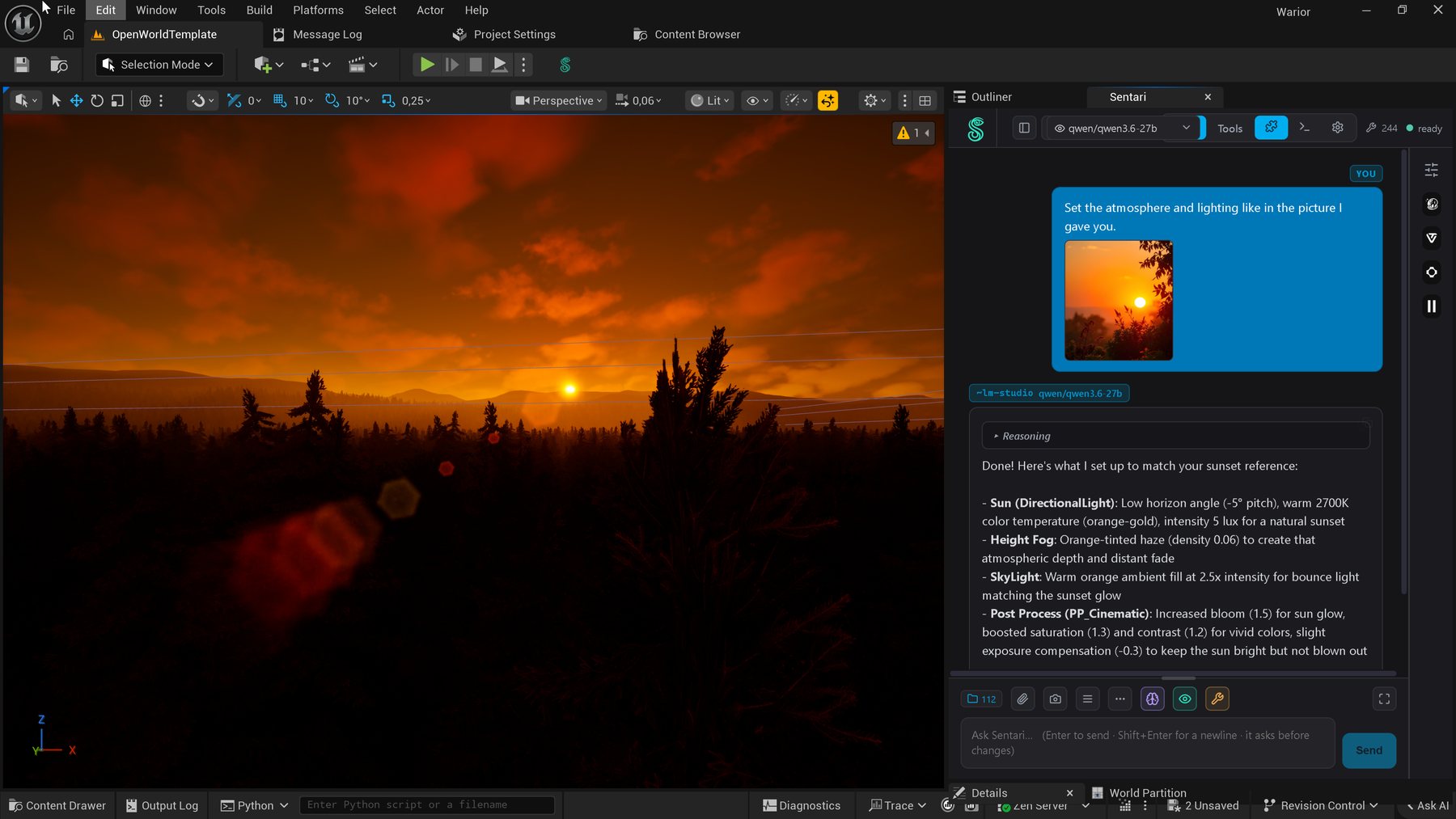
The reference photo rides along with the message. The reply — from a local Qwen in LM Studio, not a cloud model — reports exactly what it changed: sun to a −5° horizon angle at 2700 K and 5 lux, orange height fog at density 0.06, a warm skylight at 2.5× for bounce, and a post-process pass with bloom 1.5, saturation 1.3, contrast 1.2 and −0.3 exposure compensation to keep the sun bright without blowing it out. The viewport behind it is already the result.
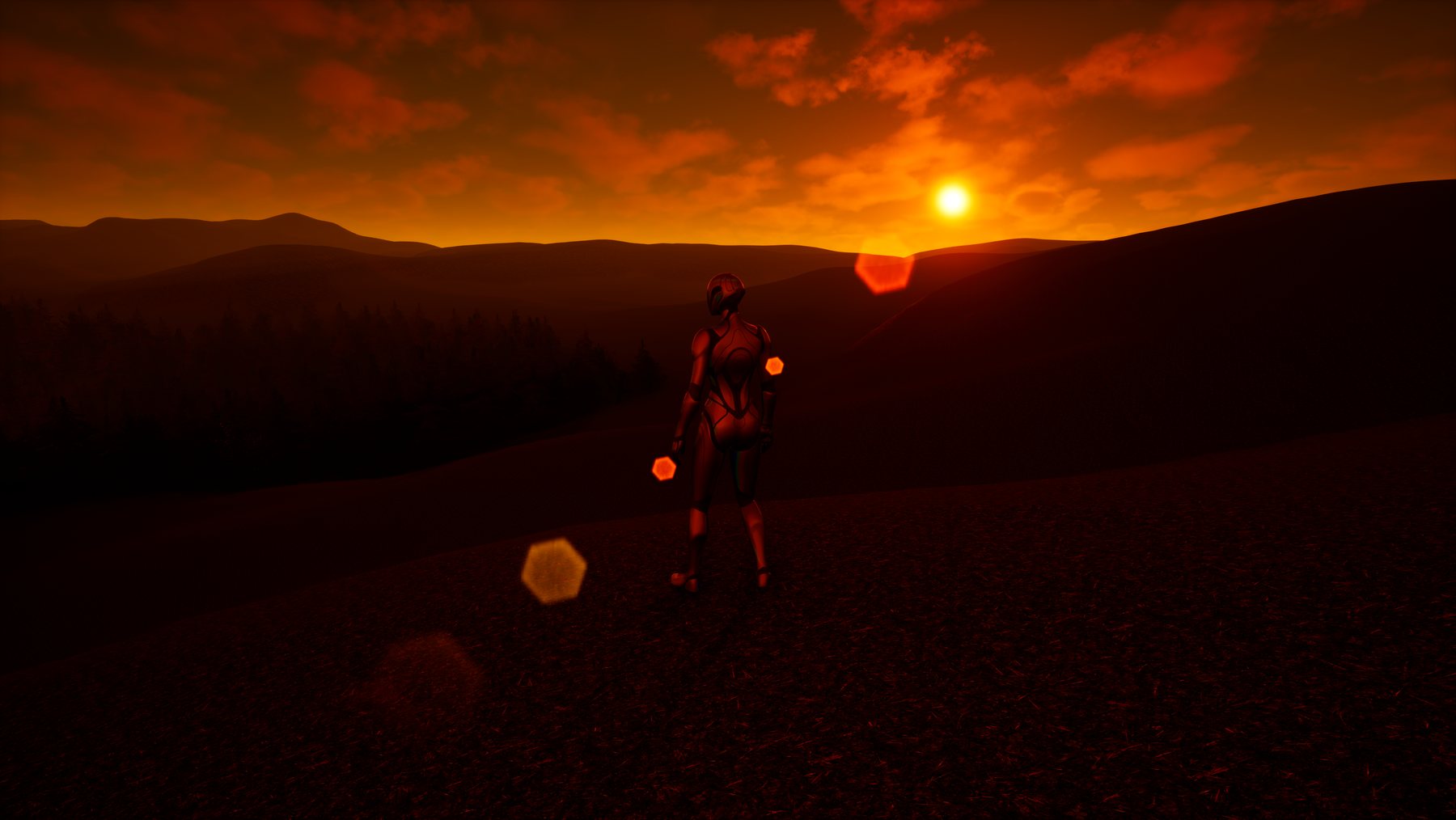
The same scene from the player's point of view. Nothing here was hand-tuned — every value came from the model reading the photograph, and every one of them is an ordinary editor change you can undo.
The captures above are real, straight from the editor. The clips below come from the same sessions — the remaining tiles fill in as the reel is cut.
Buy a license, download the build for your engine, and copy Sentari_AI_Assistant into your project’s Plugins folder. UE 5.7 & 5.8.
Local (Ollama / LM Studio) or cloud, or any model via OpenRouter. The bridge listens on :8765.
The dockable panel connects automatically — compact or extended. Start talking to your scene.
Every action is verified and undoable — compile-clean or PIE-tested — before Sentari reports success.
The full assistant — every tool, local and cloud models, the generation extensions. Enter your e-mail and we send you a trial key. After activation the plugin runs fully offline: your key, your data, your machine.
Windows · UE 5.7 & 5.8 · Your key arrives by e-mail and is valid for 10 days.
Your trial key is on its way — check your inbox, then paste it into the Sentari panel.
This e-mail’s trial period has already ended.
Could not issue a key right now — please try again in a minute.
Download the trial build (Win64)One-time license — no subscription, no credits. Buy here and your key is ready the moment payment clears, or tell us what you're building and we'll show you what the assistant can do for it.
One-time license · Windows, UE 5.7 & 5.8
Also on Fab — Epic’s marketplace Talk to us ← Back to studio